
How to Log In to Midas55
1. Open the Main Login Page
Use the Midas55 login button to open the main website's sign-in form. Check the destination before entering your credentials.
2. Enter Your Username and Password
The website form uses a username and password. Enter the username chosen at registration and the password for that account. Check for typing errors or extra spaces if you copied either field.
3. Submit the Form
Select Login and wait for the response. If an error appears, read the message before trying again; it may identify which information needs attention.
After Login: Your Midas55 Member Lobby
After signing in, use the member lobby to browse gaming categories and locate account controls such as Add Money, Cash Out and transaction history.
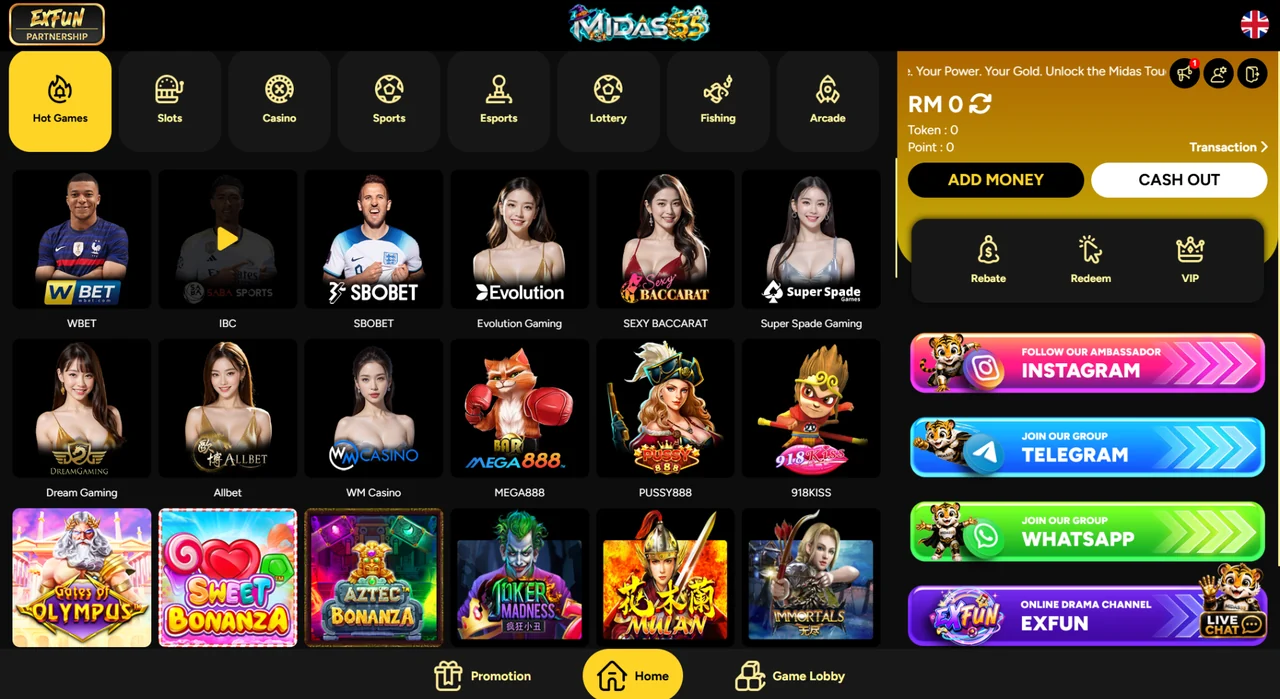
Once you are signed in, use the Midas55 deposit and withdrawal guide for help with the account payment screens.
Forgot Your Midas55 Password?
Open the login page and select the “Forgot Password?” link. Use your registered mobile number and follow the verification instructions shown by the website.
Have Your Registered Phone Ready
The recovery interface uses mobile-number verification. Keep access to the registered number and enter any requested code only in the website's verification flow.
No Access to That Number?
Contact Midas55 support and explain that you cannot receive verification messages. Ask for the account-recovery process rather than registering a replacement account.
Solve the Most Common Login Problems
Your Username or Password Is Rejected
Check that you are using the account username rather than assuming your phone number is the login ID. Enter the password carefully. If you are unsure of it, use password recovery instead of repeated guesses.
A Verification Message Has Not Arrived
Check the number shown in the recovery flow, your phone signal and blocked-message settings. Wait for the resend option to become available before requesting another code. If the issue continues, tell support which step failed.
The Login Page Does Not Load
Reopen the main URL and check your internet connection. Try an up-to-date browser or another connection to identify whether the problem is local to your device. A screenshot of the error can help support investigate.
Your Account Shows a Restriction
Contact support for the account-specific reason and next step. A new username will not resolve an issue attached to an existing account.
Midas55 Login on Your Phone
Use Your Mobile Browser
Open midas55.com/login in your phone's browser and use the same website login form.
Prefer Android App Access?
Visit the Midas55 APK page for the Android download route and installation help. Follow the sign-in options displayed by the app after opening it.
Midas55 Login FAQ
Can I ask for help without logging in?
Yes. The main site's live chat is available before login.
What should I prepare for a login-support request?
Have your username, registered mobile number and the exact error message ready. Do not send your password or an SMS verification code in chat.
I am a new user. Should I use this login page?
You need an account first. Open Midas55 registration, or read the account setup guide before starting.