
Midas55 Deposit Methods in Malaysia
The main website lists Touch 'n Go eWallet, DuitNow and FPX online banking, with a stated minimum deposit of RM10. Confirm the options and limits displayed in your account before making a transaction; a promotion may require a higher qualifying deposit.
Touch 'n Go eWallet
Choose the available Touch 'n Go option in your account and follow the displayed payment instructions. Check the amount and recipient details, complete the payment and keep the transaction reference.
DuitNow
Use the DuitNow details provided in the current deposit flow. Check the recipient and amount before authorising the transfer. Use the instructions for that transaction rather than bank details saved from an old message.
FPX Online Banking
Select an available bank through the FPX payment flow and complete authorisation with that bank. Return to your Midas55 account to check the result after the banking step is complete.
How to Deposit at Midas55
1. Log In and Find the Deposit Screen
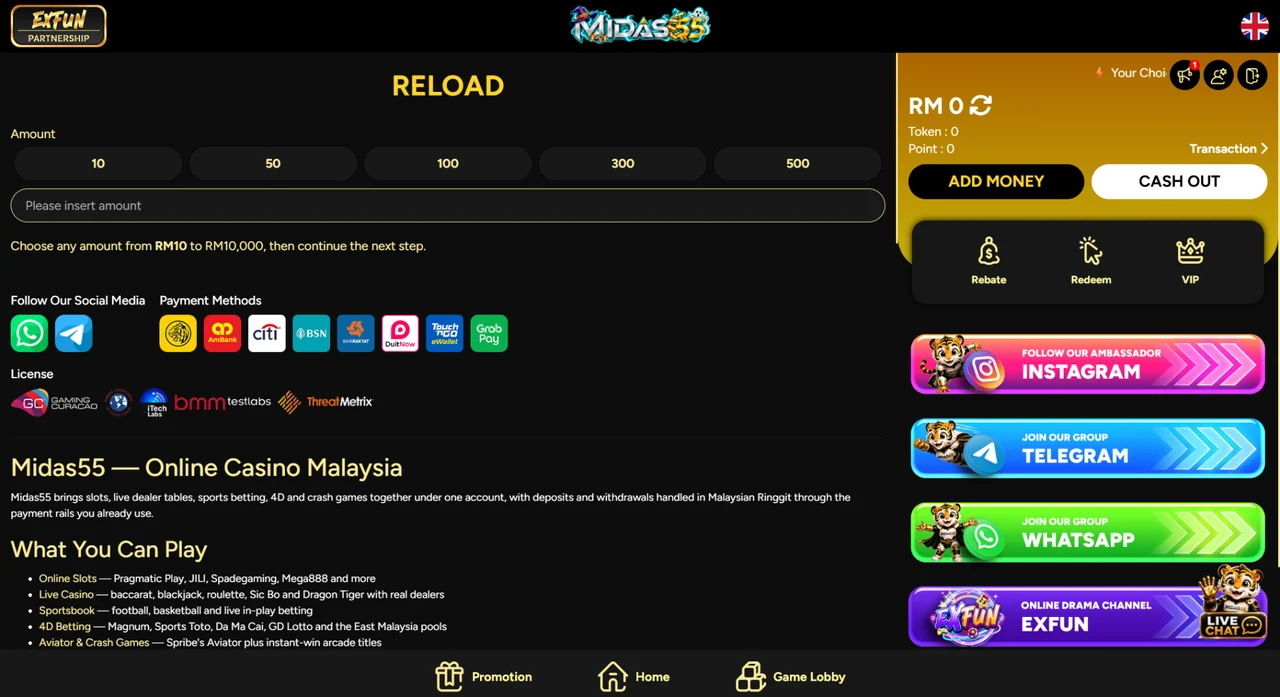
Go to Midas55 login and sign in. If you cannot access your account, use the Midas55 login and recovery guide before starting a payment. In the member area, the balance panel shows Add Money and Cash Out buttons.
2. Choose the Amount and Check Any Promotion
The deposit screen in the screenshot below is titled Reload. It offers preset amounts and an amount field, and states a range of RM10 to RM10,000; check the range shown in your own account. If you are depositing for a promotion, confirm its qualifying amount and claim sequence first. The bonus conditions guide explains what to look for.
3. Follow the Payment Options Shown and Authorise
Continue to the next step and follow the payment options shown in your account. Use an account or e-wallet in your own name, check the instructions and amount, then complete the payment through the bank or wallet flow.
4. Check the Result and Keep Your Receipt
Return to your Midas55 balance or transaction history. Save the reference, amount and time until the deposit is reflected correctly.
How Midas55 Withdrawals Work
Use a Receiving Account in Your Own Name
The main site requires the bank-account or e-wallet holder name to match your registered details. A mismatch can delay a withdrawal while the information is checked.
Review the Available Withdrawal Options
Open the withdrawal function inside your account and use one of the receiving methods offered there. The availability of a deposit method does not mean that the same method can receive withdrawals.
Check the Balance and Applicable Conditions
Review any account-verification requests and promotion conditions that apply to your balance. If a restriction is unclear, ask support to explain it before submitting another request.
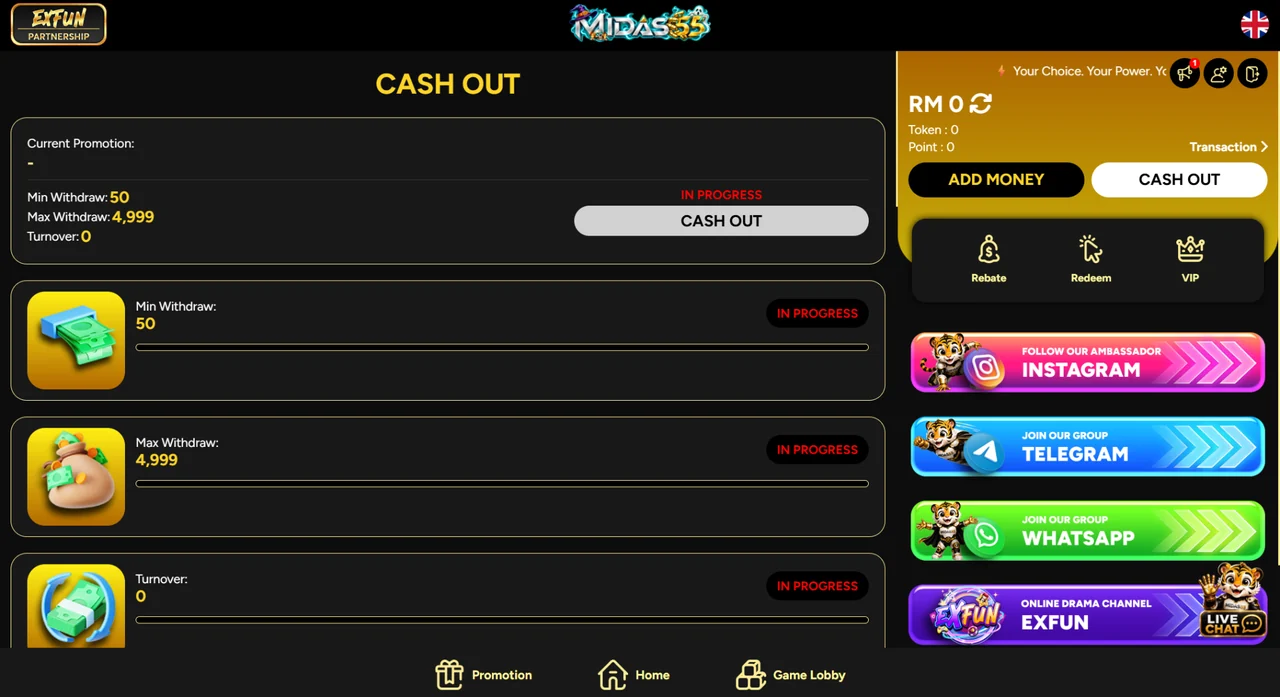
Check the Conditions Shown in Cash Out
The screenshot shows withdrawal conditions with “In Progress” labels. It does not confirm a completed payout. Review the conditions and transaction status shown in your own account, and ask support which requirement needs attention if the next step is unclear. The Min Withdraw 50 and Max Withdraw 4,999 values belong to the account in this screenshot; your account may show different conditions.
Submit and Follow the Transaction Status
Check the receiving details and requested amount, submit the withdrawal and keep its reference. Use the status in your account when following up with support.
Payment Timing and Fees
Withdrawal Processing
Midas55's published guidance describes withdrawals as typically taking 5–15 minutes once approved. This is the main site's description of a usual processing time after approval, not a guarantee or a deadline for every request. Account review and payment-provider processing can affect the total time. Our Touch 'n Go payment guide explains each stage of a withdrawal and the common reasons a request stays pending.
Bank and Wallet Charges
The main website states that Midas55 does not charge deposit or withdrawal fees. Check any separate charges shown by your bank or e-wallet before confirming a transaction.
Resolve a Missing Deposit or Delayed Withdrawal
Find your situation, check the listed items first, then contact Midas55 support with the details in the last column. Avoid sending a second payment simply to test whether the first one worked.
| Problem | Check first | Give support |
|---|---|---|
| Paid, but balance not updated | Transaction status in your bank or wallet and in your Midas55 account | Payment reference, time, amount and receipt |
| Cannot submit a withdrawal | The conditions shown in Cash Out, your balance and your receiving-account details | The condition or message shown and your username |
| Withdrawal submitted, still pending | The current status in your account and any requested information | Actual status, request time and withdrawal reference |
| Payment failed or reversed | The bank or wallet message compared with your account record | The message, reference, amount and time |
Midas55 Payment Questions
What is the minimum deposit?
The main website lists RM10. Confirm the limit shown for your selected method and any separate minimum required by a promotion.
Can I withdraw to someone else's account?
Midas55 requires the receiving bank account or e-wallet to be in the same name as your registered details.
Should I send money to details found in a guide or old message?
Use the current payment instructions shown through your account. This guide does not provide recipient bank details or collect payments.
What information should I send to payment support?
Provide your username, transaction reference, amount and approximate time, plus a receipt when relevant. Keep passwords and verification codes private.